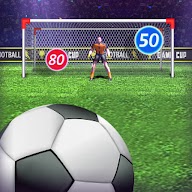
Beat world-class keepers from the spot with curled free kicks
 11:07
11:07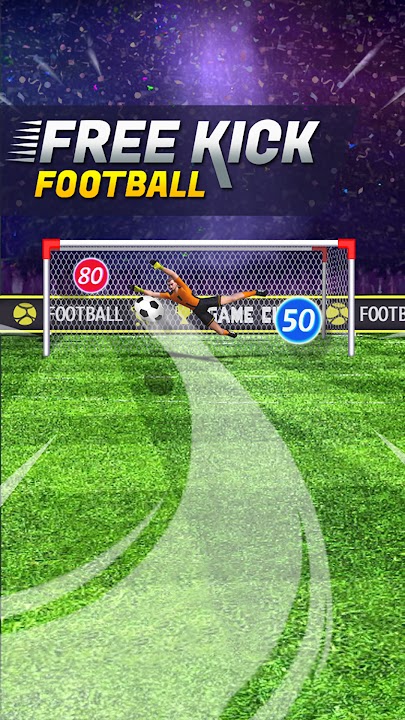
TubeGames verdict
Swipe, curl, beat the keeper; a football shooting gallery that's better than its thin wrapper suggests.
Reviewed by Max, TubeGames · Sep 18, 2026 · How we rate
Freekick Football is set pieces and nothing else. You get the ball, a keeper who's meant to be one of the world's best, and a swipe. My first swipe was straight and hard and the keeper read it like a headline; my second had a bit of curl and dipped under the bar with him going the wrong way. That's the whole hook in two shots.
The loop is the swipe itself. Direction comes from where you swipe, curve from the bend in your finger, pace from how fast you go, and the shot you get back is honest about all three. So you start doing what real takers do: pick a corner before you move, disguise it, go top corner when the keeper cheats early. Attempts take seconds, so a bad shot costs nothing but pride.
The complaints. The keepers are the difficulty, and sometimes they're superhuman in a way that feels less like being beaten and more like the game deciding. There isn't much around the shooting that I found, no team, no match, and the presentation is a backdrop and a scoreboard. After twenty minutes I was just chasing a number.
Play it if you want the free-kick minigame from a big football game without the big football game. Skip it if you want a match.
Good
- Swipe physics that reward real curl
- Attempts take seconds; rounds move fast
- The keepers make you think about placement
- Opens inside YouTube, nothing to install
Not so good
- Keepers sometimes feel scripted, not beaten
- Thin outside the shooting itself
About Freekick Football
In Freekick Soccer, you'll put your penalty-taking skills to the test against some of the world's best goalkeepers. With stunning 3D graphics, realistic physics and intuitive touch controls, you'll feel like you're right there on the pitch, taking on the world's best goalkeepers.
Freekick Football was published on YouTube Playables on 2024-04-16 by GameSnacks. In 907 days it has reached about 8.4M plays.
Freekick Football is about one thing: putting the ball past a goalkeeper. You pick your line, add curve and pace, then watch the physics decide whether it dips inside the post or sails over the bar. The keepers you face are meant to be the best around.
Touch controls keep each attempt to a few seconds, so rounds move quickly and the difficulty comes from the goalkeeping rather than the interface. It runs free inside YouTube with no download.
How to play: Swipe across the ball to set direction, curve and power, then watch the shot.
Good for: football fans, quick sessions
How to play Freekick Football
- Phone / tablet
- Swipe across the ball: the direction sets the line, a curved swipe adds bend, and a faster swipe adds pace.
- Desktop
- Click and drag across the ball with the mouse the same way; a curved drag curls it.
- Progress
- Your tally of goals is the progress; each attempt is a fresh shot at the keeper.
The keeper reacts to where the ball is going, not where you're looking, so the shape of the swipe matters more than its speed.
Tips for beating the keeper
- Curl it, always. A straight shot at pace is the easiest thing a keeper reads. A bend that starts outside the post and comes back in is the hard one.
- Pick the corner before you swipe. Deciding mid-swipe gives you a shot that's half of two ideas. Commit.
- Go high when he goes early. If the keeper is diving before the ball is up, the space is over his shoulder, not beside him.
- Slow the swipe down. Fast swipes go wild. A medium, deliberate swipe with a clear curve beats a slap.
- Change sides. Two shots in the same corner and the keeper is there for the third. Alternate.
Freekick Football vs Football Strike
Football Strike is the swipe-shooting game most people have on their phone, and this is the same core idea stripped down. Both use a swipe for direction and curl; both put a keeper between you and the score. Football Strike wraps it in modes, opponents and a progression that wants your attention every day. Freekick Football has none of that, which is either its weakness or its point. If you want to open something, take ten shots and close it, this is the cleaner version. If you want a reason to come back tomorrow, Football Strike gives you one, at the price of all the wrapping.
Playing Freekick Football online, no download
The YouTube build runs in the browser tab, so there's nothing to install and nothing to sign up for beyond the YouTube account you already have. It plays on a phone with a finger and on a desktop with the mouse, and the swipe feels better on a phone: your finger draws the curve more naturally than a mouse does. Load time is short, attempts are short, and the whole thing fits in a queue or a break. GameSnacks publishes it here; the listing also calls it Freekick Soccer, which is the other name it goes by.
How plays are counted
Public play counts for Freekick Football are re-counted every day from the YouTube Playables catalog and shown the way YouTube shows them. The total and rankings above are as of 2026-10-10.
Ratings & reviews
No written reviews yet — tap the stars and tell other players what you think.
How we rate
The TubeGames rating is our estimate, not a vote. It combines how it holds up on YouTube Playables: how many people play it and whether they keep playing weeks after launch. Once 10 players rate Freekick Football here, their average becomes the headline score.
Similar Sports games on Playables
 Basket Battle
20M plays
 8 Ball Billiards Classic
18M plays
 Crazy Kick!
11M plays
 Basketball FRVR
8.2M plays
 Archery World Tour
7.2M plays
 Soccer Dash
7M plays