
Keep a plane in the air and see how far your flying takes you
 8:06
8:06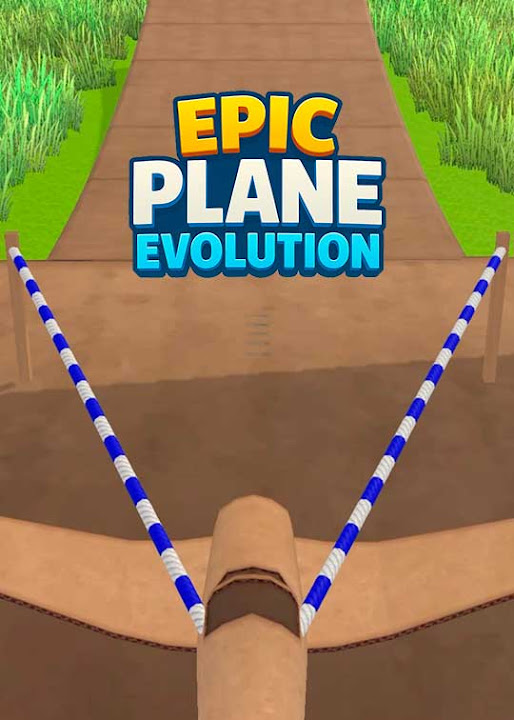
TubeGames verdict
Launch, glide, crash, upgrade, repeat: the old Flash launch game formula with a plane, and it still works.
Reviewed by Max, TubeGames · Sep 18, 2026 · How we rate
Epic Plane Evolution is a slingshot flight game. You pull the plane back, let go, and keep it in the air as long as you can. The first launch went about as far as a thrown sandwich. The tenth went twice that, because I'd bought a better wing, and by then the tab wasn't getting closed.
The loop is distance for coins, coins for parts. Coins go into wings, engines and fuselage, and each upgrade visibly changes the plane and how far it flies. Levels change the aircraft and the terrain, so the paper plane stage feels nothing like the vintage plane over the Old West or the glider, and wind on some maps forces you to actually fly. Runs are under a minute, so failing costs nothing.
The complaints: mid-game you hit a wall where you can't beat the level yet and farm coins instead, and that grind is duller than the flying. Control in the air is thin; you nudge the nose, you don't pilot. And the stages people search for by name, the glider especially, sit behind that grind.
If you played Learn to Fly back in the browser days, this is that with better physics and no install. If you want a proper flight sim, this doesn't pretend to be one.
Good
- Upgrades change the plane on screen, not just a number
- Each level swaps the aircraft and the terrain
- Runs are short, so failing is cheap
- Wind makes some maps a real flying problem
Not so good
- Mid-game coin grind before each new level
- Air control is a nudge, not real piloting
- Named stages are gated behind the grind
About Epic Plane Evolution
The Ultimate Flying Challenge! This game will test your flying skills like never before!
Epic Plane Evolution was published on YouTube Playables on 2025-09-02 by Voodoo. In 403 days it has reached about 26M plays.
Epic Plane Evolution is a flying game built around control rather than combat. You keep a plane in the air, hold its line through the sky and try not to end the run early. The challenge is staying steady when the margin for error gets thin.
Runs are short and repeatable, so improvement comes from flying the same stretch better rather than learning new systems. That suits a few minutes at a time. It plays free inside YouTube with no download, which makes it easy to try a run and stop. Good for players who want simple, skill-based flying.
Good for: short sessions, casual flying games
How to play Epic Plane Evolution
- Phone / tablet
- Drag the plane back on the slingshot and release to launch, then hold and release on the screen to tilt the nose, the usual one-touch pitch.
- Desktop
- Drag with the mouse to pull back and launch, then hold the mouse button or Space to lift the nose and let go to dip.
- Levels
- Levels are built around a different plane and setting each time; the ones players talk about most are the paper plane, the glider, the vintage plane in the Old West and a solar plane.
- Progress
- Coins from each run buy wing, engine and fuselage upgrades that carry over between runs and unlock the next level.
The launch decides most of the distance. Angle and pull matter more than anything you do afterwards, so treat the flight as a way to add to a good launch, not rescue a bad one.
Tips for flying farther
- Fix the launch before the plane. Try a few angles on the same upgrade level. My distance jumped more from a flatter release than from the next wing.
- Buy wings first. Engine upgrades feel like the big purchase, but wings keep you up longer, and time in the air is where the coins are.
- Don't fight the wind, ride it. On the windy maps, tilt slightly into the gust and let it carry you instead of yanking the nose up every second.
- Farm on the level you've beaten. When a new level walls you, go back to the previous one for coins. Runs there are longer and pay better than repeated crashes.
- Skip the cheats. Searches for unlimited money and glitches turn up nothing useful; the honest shortcut is a good launch angle and wings before engines.
Epic Plane Evolution vs Learn to Fly
If you remember Learn to Fly from the Flash era, you already understand this game: a launch, a short flight, a crash, a shop, and the number goes up. Epic Plane Evolution keeps that skeleton and adds real planes, terrain that changes by level and wind that pushes you around. The physics is heavier and more satisfying; the upgrades are more visible, since the plane grows wings and engines you can see.
What it loses is the humor. Learn to Fly had a penguin and a joke; this has a plane and a coin counter. Whether that trade is worth it depends on whether you want the flying or the story around it. For a phone session, the flying wins.
Is Epic Plane Evolution unblocked?
This copy lives on youtube.com, so it opens on most school and office networks where the usual game sites are filtered. If YouTube loads, the game loads, with nothing to download and no APK to hunt for. It's the same build, not a stripped mirror, so your upgrades are the real thing. If YouTube itself is blocked where you are, there's no version of this that gets around it, and I'd rather tell you that than point you at a sketchy copy.
How plays are counted
Public play counts for Epic Plane Evolution are re-counted every day from the YouTube Playables catalog and shown the way YouTube shows them. The total and rankings above are as of 2026-10-10.
Ratings & reviews
No written reviews yet — tap the stars and tell other players what you think.
Elsewhere: 4.6★ (174,427 ratings) on App Store
How we rate
The TubeGames rating is our estimate, not a vote. It combines public ratings of the same game elsewhere (App Store 4.6★ (174,427 ratings)) with how it holds up on YouTube Playables: how many people play it and whether they keep playing weeks after launch. Once 10 players rate Epic Plane Evolution here, their average becomes the headline score.
Similar Simulation games on Playables
 My Mini Mart
58M plays
 Vehicle Masters
36M plays
 Dessert DIY
89M plays
 Phone Case DIY
75M plays
 Color Page ASMR
56M plays
 Sculpt People
55M plays