Pick the impostor out of a crowd of look-alikes
 10:14
10:14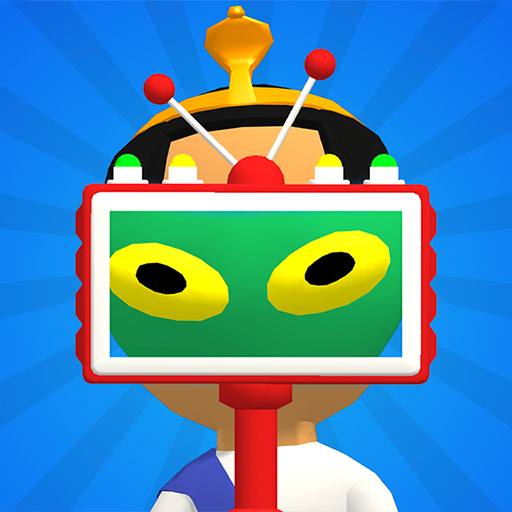
TubeGames verdict
Spot the impostor in a crowd, zap it, move on; simple, quick, and it gets sneakier than you'd expect.
Reviewed by Max, TubeGames · Sep 17, 2026 · How we rate
Find the Alien is a spot-the-impostor game. A scene full of people, birds and street furniture, one or more of them an alien in disguise, and a scanner that shows you which. You scan, you spot the green one, you draw the blaster and zap it before it runs. My first level took ten seconds; the first one where an alien was hiding as a road sign took a minute of staring.
The structure is levels across suburbs, with a story about an invasion, captives to rescue, and boss fights along the way. Clearing levels unlocks new blasters with their own powers and animations, which is the carrot. The loop works because the disguises get sneakier: family members, neighbors, policemen, then things that aren't people at all. It's observation, not reflexes, and rounds are short enough to play in a queue.
It's shallow, and repetitive in stretches; a run of similar suburb levels can feel like one long level. The story is wallpaper. And it's a Moonee game, so expect the cartoon violence to be exactly that, cartoon; if 'kill the alien' in the store blurb puts you off, it's tamer in play.
Play it for quick observation rounds with a bit of unlock. Skip it if you want a hidden-object game with real puzzles.
Good
- Disguises get genuinely sneaky
- Scanner-then-zap rhythm is satisfying
- Blasters to unlock, bosses to break up levels
- Rounds fit in a queue
Not so good
- Repetitive stretches of similar levels
- The story is wallpaper
- Little real puzzle beneath the observation
About Find the Alien
Find the impostor hiding among us in this amazing action game
Find the Alien was published on YouTube Playables on 2024-04-02 by Moonee Publishing LTD. In 921 days it has reached about 50M plays.
Find the Alien is a hidden-figure hunt. Somewhere in the crowd sits an impostor, and your job is to pick it out from characters that look almost the same. Each round hands you a fresh scene to scan, and the differences get smaller as you go.
It leans on observation rather than reflexes, and rounds resolve fast, so it reads more like a spot-the-difference break than a long sitting. Free to play inside YouTube with no install, which makes it easy to squeeze a few rounds in.
How to play: Scan the scene and tap the character that does not belong.
Good for: quick sessions, spot-the-difference fans
How to play Find the Alien
- Phone / tablet
- Tap to scan the area, then tap the alien to zap it; the usual one-finger point-and-shoot.
- Desktop
- Use the mouse: click to scan, click the alien to fire.
- Levels
- Levels grouped by suburb, with boss battles as you progress and new blasters unlocked at milestones.
The scanner tells you where to look, not who; the trick is that aliens hide as birds and objects as readily as people.
Tips for finding every alien
- Scan before you shoot. Zapping on a hunch wastes time. Use the scanner first and let it point you, then fire.
- Assume there's more than one. Levels often hide several aliens. After the first zap, scan the rest of the scene before you relax.
- Check the things that aren't people. Birds, signs and objects are fair game for a disguise. When the people all look clean, look at the scenery.
- Be quick after the reveal. An alien you've spotted will try to escape. Have the blaster ready the moment the scanner shows green.
- Try a new blaster on a boss. Unlocked blasters have their own powers. Bosses are where a different one pays off.
Find the Alien vs Among Us
The impostor-among-us idea is the Among Us idea, and Find the Alien borrows the vibe, not the game. Among Us is social: the impostor is another player, and the game is arguing. Find the Alien is solo: the impostor is a green thing in disguise, and the game is looking. There's no lying, no voting, no meetings, just a scanner, a blaster and a scene to scan. If you liked the theme of Among Us but not the part where you have to talk to people, this is that. If the arguing was the point, it won't scratch the itch. The closer comparison is a spot-the-difference book with a gun.
Is there a Find the Alien 2?
Plenty of people search for a Find the Alien 2 or 3. I'm not aware of an official numbered sequel; what Moonee does instead is keep updating the one game, with the browser version last updated in March 2026, adding suburbs and blasters to the same title. So the version on YouTube Playables is the current one, not an old one waiting for a sequel. If you find something called Find the Alien 2 on a game portal, it's worth checking who made it before assuming it's Moonee's.
How plays are counted
Public play counts for Find the Alien are re-counted every day from the YouTube Playables catalog and shown the way YouTube shows them. The total and rankings above are as of 2026-10-10.
Ratings & reviews
No written reviews yet — tap the stars and tell other players what you think.
Elsewhere: 4.7★ (269,957 ratings) on App Store · 8.7/10 (16,426 votes) on CrazyGames
How we rate
The TubeGames rating is our estimate, not a vote. It combines public ratings of the same game elsewhere (App Store 4.7★ (269,957 ratings), CrazyGames 8.7/10 (16,426 votes)) with how it holds up on YouTube Playables: how many people play it and whether they keep playing weeks after launch. Once 10 players rate Find the Alien here, their average becomes the headline score.
Similar Action games on Playables
 Tall Man Run
108M plays
 Stealth Master
94M plays
 Going Balls
92M plays
 Hide N Seek
69M plays
 Running Pet Dec Room
31M plays
 State.io
29M plays