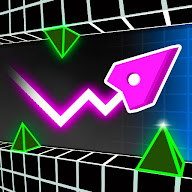
Dodge to the beat as the track speeds up and the gaps get tighter
 7:03
7:03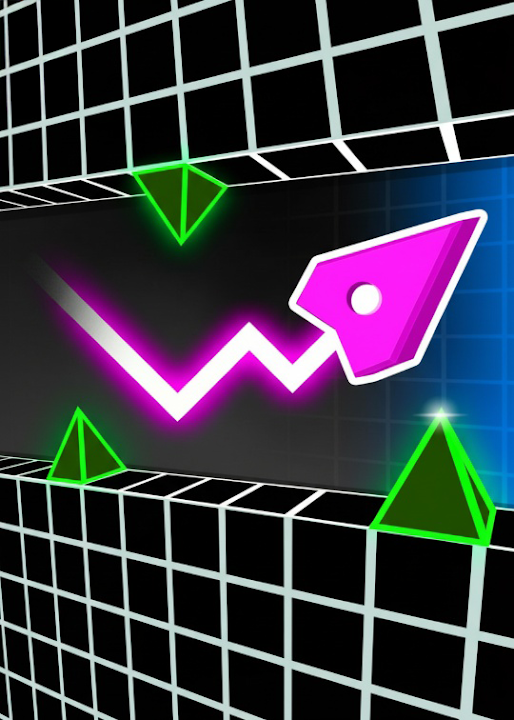
TubeGames verdict
A 3D rhythm dodger in Geometry Dash's shadow; the beat is fun, the levels are thin, and it's short.
Reviewed by Max, TubeGames · Sep 17, 2026 · How we rate
Geometry Vibes 3D is a rhythm runner: a track stretches into the distance, obstacles slide up in time with the music, and you move left and right to slip through while grabbing stars. The speed climbs as a level goes on, so the start feels breezy and the last stretch needs your full attention. My first run ended on a gap I saw and still hit.
You pick a difficulty and work through numbered levels, collecting stars along the way; there's an Expert setting for people who want every star at speed, and an endless mode for high scores. The pull is the same as any rhythm game: you learn the track, not the reflex, and the second attempt is always cleaner than the first because your hand starts moving on the beat.
It's thin. The levels feel similar, the obstacles are a small set of shapes, and the look is generic. The speed ramp can go from fine to unfair in one section. And it's not Geometry Dash, whatever the name suggests; don't come expecting an editor, a community, or Dash's demon levels.
Play it if you want a rhythm game you can finish a level of in a minute, with the sound on. Skip it if you're here for the Dash.
Good
- Moving on the beat feels good once it clicks
- Levels are short and restart instantly
- Difficulty settings and an endless mode
Not so good
- Levels and obstacles feel samey
- Speed ramp turns unfair in places
- Nothing like the depth of Geometry Dash
About Geometry Vibes 3D
Fast paced 3D rhythm action. Dodge obstacles, collect stars and survive accelerating levels with perfect timing.
Geometry Vibes 3D was published on YouTube Playables on 2026-02-03 by GameVGames. In 249 days it has reached about 3.9M plays.
Geometry Vibes 3D is a rhythm runner. You move along a 3D track in time with the music, dodging obstacles and collecting stars as the level accelerates. The speed climbs steadily, so what felt manageable at the start needs much sharper timing a minute in.
It rewards learning a track rather than reacting to it, and the second attempt is always better than the first. Runs are short and restart quickly. The game runs free inside YouTube with no download, and it is worth playing with the sound on. Good for rhythm game players.
How to play: Move left and right in time with the beat to slip through gaps and pick up stars.
Good for: rhythm game fans, sound on
How to play Geometry Vibes 3D
- Phone / tablet
- Tap or drag on the left and right sides of the screen to move between lanes; the usual scheme.
- Desktop
- The usual arrow keys or A and D to move left and right.
- Modes
- Numbered levels with a difficulty choice that includes an Expert setting, plus an endless mode for high scores. The store listing also mentions local two-player; I wouldn't count on it in the YouTube version.
- Levels
- Numbered levels with stars to collect in each; walkthroughs cover at least the first nine on Expert.
The obstacles land on the beat, so the music is information, not decoration; with the sound off you're playing a harder game.
Tips for the accelerating levels
- Sound on, always. The obstacles arrive on the beat. Playing muted turns a rhythm game into a reflex game, and it's a worse one.
- Learn the level, don't react to it. A level is a fixed sequence. Your third run should be from memory, with the eyes just confirming.
- Ignore the stars on your first pass. Stars pull you into the wrong lane at the worst moment. Clear the level once, then go back for them.
- Move early, move small. At speed, a late big swerve overshoots into the next obstacle. Shift a lane as soon as you see the gap and stop.
- Start on the easier difficulty. Expert isn't harder in a new way, just faster. Learn the tracks slow and the fast version is memory plus nerves.
Geometry Vibes 3D vs Geometry Dash
The name invites the comparison, so here it is. Geometry Dash is a 2D side-scroller where you tap to jump and every level is a hand-built gauntlet with a community around it and hours of practice behind the hard ones. Geometry Vibes 3D borrows the idea of obstacles on a beat and turns it into a lane runner seen from behind: you move sideways instead of jumping, and a level is over in a minute or two. It's easier to get into and far shallower to stay with. If Dash's difficulty wall put you off, this is a friendlier taste of the same feeling. If you're a Dash player, you'll finish it in an evening and go back.
How plays are counted
Public play counts for Geometry Vibes 3D are re-counted every day from the YouTube Playables catalog and shown the way YouTube shows them. The total and rankings above are as of 2026-10-10.
Ratings & reviews
No written reviews yet — tap the stars and tell other players what you think.
How we rate
The TubeGames rating is our estimate, not a vote. It combines how it holds up on YouTube Playables: how many people play it and whether they keep playing weeks after launch. Once 10 players rate Geometry Vibes 3D here, their average becomes the headline score.
Similar Arcade games on Playables
 Snake Clash!
96M plays
 Fork N Sausage
40M plays
 Hole.io
68M plays
 Prison Life: Idle Game
30M plays
 Slice It All!
25M plays
 Man Runner 2048
24M plays